Showing posts with label Scrapbook pages. Show all posts

Friday, March 25, 2016

Weekend Sale! 50% off lsdzines Textured Paper Collections

I released nine new textured paper collections at North and South Studios last night, and I am offering them, as well as most other lsdzines paper collections, for 50% off through the weekend - that's $1.50 per collection!  

My textured paper collections are designed with the digital scrapbooker and art journalist as well as the digital photographer in mind.  They can be used as backgrounds OR textured overlays to place on top of your photo/scrap page to run blend modes on.  

These textured papers are originated in my art room using either acrylic or watercolor paint, Ranger distressed ink, India ink, etc. and/or items I have acquired and scanned into my computer.  They consist of a lot of layers eventually merged into jpg files so that you can turn your page into a unique page!

But hurry!  Sale only lasts til March 27th, pm Eastern Standard Time!

Created with Old Book Textured Paper - Medium collection with various brushes and other paper textures available at the store:


Click here for 50% off!

Monday, March 7, 2016

Page made with Chiari Malformation Awareness kit!

I loved making the Chiari Malformation Awareness kit and I loved creating this page with it!


Find the big bundle here!
Each part of the bundle is also sold separately. 
 

Saturday, March 5, 2016

dziner Hello Spring Art-z Page Starter Kit

dziner Hello Spring Art-z Page Starter Kit is everything you need to create an artsy page, however, please do feel free to add any elements from your stash to make it completely your own! 

Currently 20% off!


Here is a larger view of the sample page I created with this kit:


Wednesday, February 24, 2016

Layouts using lsdzines Frame and Mask Set 1

As soon as I get settled into a store, a frame and mask set will be available for sale.  There will be four frames in this set which will include four psd files of each frame and a custom shadow along with a png file of the mask.  

All other products in this layout will also be available at lsdzines as soon as I get settled in. 

For now, please visit my shop at Etsy as there are still many items listed there:  www.etsy.com/shop/lsdzines

Monday, February 22, 2016

dziner Art-z Page Starter 2 Set at Etsy!

dziner Art-z Page Starter 2 comes with a dziner frame in blues, greens, pinks and purples, a clipping mask and four overlays in a hexagonal and round shape and a heart element. I am hoping to get some tutorials around soon, but, I can't seem to find the video screen capture software that won't cost me a fortune.  If there are any suggestions, please share! 

Click here to go directly to this item at Etsy: dziner Art-z Starter Page 2  


Sample page made with dziner Art-z Page Starter #2. 


Friday, February 19, 2016

Purple Flower Layout Created with lsdzines Products

Once we get our store up and running, I will be selling the template for this layout.  The template will include the mask, the overlays and the hexagon brush strokes.  


Sunday, January 31, 2016

Shequaga Falls layout - using LSdzines products

This layout was done entirely with LSdzines products.  You can find most items in the LSdzines Etsy store by clicking here.  Use coupon code GRANDOPENING20 for 20% off your entire purchase of all items in the store!


Friday, January 22, 2016

Pages created with LSDzine products

All of these images were created with products from my Etsy store, www.etsy.com/shop/lsdzines.  Also, find me on Facebook, www.facebook.com/lsdzines. 

I am currently running a Grand Opening sale - 20% off everything in the store using coupon code GRANDOPENING20.  But hurry!  Sale ends February 6th!


Monday, January 11, 2016

More Cocoa Beach, Florida

I am STILL working on this Florida book.  I am not sure I will ever finish at this rate. 


Saturday, December 19, 2015

Las Vegas Part 3, Fremont Street and such


The next two pages both started out as two page spreads, but by the time I finished the first side, I decided I wanted them to be stand alone pages.  Even though it's Fremont Street and they should all tie in together, there were different things that I wanted to focus on for each page.  

I am LOVING the font Bougenville right now.  The rest of the LV2015 pages are a different font, but, oh well.  I don't care at this point :)


Wow.  Can this page BE any busier?  Not loving it because of that, but, I can't think of anything else to do with it anymore.  Been working on it for hours already.


Aaand I'm done with Las Vegas Deceomber 2015!!  And yes - this last page is pretty much exactly like the After Dark Fremont Street page.  I'm still not loving it though, but I am so done with this book.  It's either it is what it is, or it's coming out of the book completely. 


Saturday, December 12, 2015

Las Vegas December 2015 Part 2


(Update 12/15/15)  We have been home from Las Vegas for 10 days now and I have so far gotten 23 pages done in that time!  Go me! Or wait... maybe that just means I have NO life.. which is more like it :) )

I am loving doing these two page spreads!  I wasn't able to take the Anna Aspnes class about this, but I have been learning stuff from the group.  I am hoping to be able to take one of her classes in the very near future, though.  It's on my bucket list for sure.  I think I am good, but I want to be spectacular!

 If you click on these images, it will make them bigger so you can see it at a larger size than the postage stamp it shows up here.  


This one was fun, but it seemed to be difficult, too.  I don't understand why these pages are getting harder for me to do rather than easier.  Each page I seem to struggle with more than the last.  Maybe it's because I haven't been feeling so great and it's fogging up my creative brain.  I noticed just now that the text appears to be a little low on my journal part.  Hopefully I will remember to fix that before sending it off to the printer. 


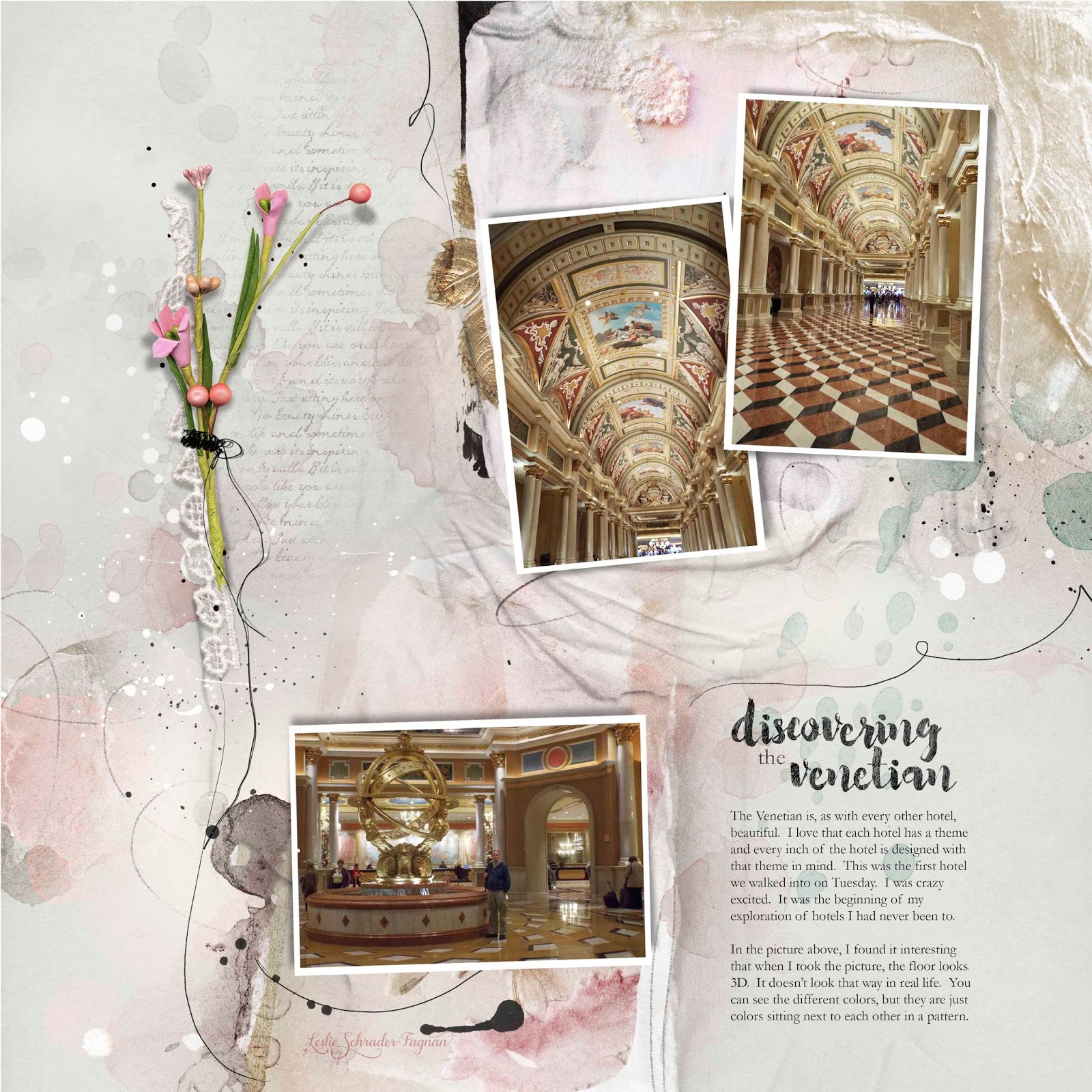
Back to one page spreads for a little bit.  This and the next two Bellagio pages don't have enough in common for me to make them a two page spread.  


I had THEE hardest time with this page.  It started off ok, then it got busy, so I started deleting things, making them smaller, etc.  Then it became bare... and left sided heavy..and stupid.  So I scrapped it all and started again.  Then it got busy, then bare and yada yada.  About 3 am, I came downstairs looked at what was still sitting on my computer and a lightbulb went off - downsize it.  All of it.  And now, for me, it's working!


I added parts of a template (the frame cluster) from a different designer this time.  I am not sure exactly who the designer is since he/she didn't put her name on the folder download.  I could look it up if I really wanted to know, but, I'm busy.  (That's my biggest pet peeve, btw - designers who don't a) label their folders correctly with their name and name of the kit and b) who don't put crap in a folder to begin with.  I extract many, many files at a time and I end up with literally hundreds loose items in my download folder when they don't put them in one.  I am NOT going back through several stores/blogs to see which element belongs with what kit and who did it.  Put the items in a folder with your name on it from the getgo, please!)


Holy freaking pictures on this one!  I don't normally like to put so many pictures on one spread, but, whatcha gonna do?  I know this makes NOOOO sense, but, some of these pages seem too busy, yet... not enough. It was really hard to narrow down this batch of High Roller pictures, because there was so much of the story to tell.  I could have done two separate pages (meaning four total), but, I didn't want to do that either.  Next up, and I believe last for this batch, is Fremont Street, and I don't know if I can do that one in just two pages... So much going on in just one picture that it will freak my ADD head out, me thinks!  Anyway, here is the High Roller.  Remember to click on the picture to make it bigger.  It's easier for me that way rather than uploading three files. 


Sunday, December 6, 2015

Las Vegas December 2015 Part 1


Right now, this batch of pages seems to be hard.  I want them to still have an artsy feel, but I don't want them to look the same as the last batch of Las Vegas pages.  So there's my challenge.  I want to keep them more festive, since Vegas is holiday themed right now. 


 I hit today's Anna sale of buying elements.  The really cool flower branch is from that sale.  I love it!  I reworked this page, but still not in love with it. 


These next two pages were definitely NOT fun for some reason.  I struggled so hard trying to get them to look right.  I reworked them about a half a dozen times. I am not sure I will ever be happy with them, but  I think this is going to be the final version, because I am sooo done with these pages!


This one didn't take anywhere near as long to come together as the last two.  Anna Aspnes has a sale today on her templates (December 9), so I grabbed a few.  Actually, that's how I got the last two to be tolerable - Anna's templates.


This one of the horses was seriously fun!  I used a 12 x 12 Fotoblend of Anna's over the top of everything except the main images and set it to color burn.  I loved what it did to everything.  I clipped a subdued version of main image into a smaller column-shaped Fotoblendz and kept it black and used the black for a texture under the main picture.  Maybe I will steal this background technique for the other two up there that I don't like so well.  I will see if that adds any interest to them. 


This was my first two page spread.  I saw someone in a FB group say it was easier than doing individual pages, and I have to say she was correct.  It IS a bit confusing since there are entirely too many layers in this one document, but the laying out of it itself wasn't bad at all once I figured out what layer was what.   Individual pages follow to see more detail.